Data ScienceScientific ComputingText-BasedBrowser-Based

Jupyter Notebooks

Project Jupyter

Jupyter Notebooks are an open-source, web-based interactive computing environment that enables users to create and share documents containing live code, narrative text, equations, visualizations, and rich media. They support multiple programming languages through language kernels, making them widely used for data science, scientific computing, education, and research. Notebooks combine executable code cells with markdown and visual outputs, facilitating iterative exploration, documentation, and reproducible workflows.

Last updated 2026-04-12
GradeMiddle School, High School, College/University
CostFree
PlatformWeb
Coding TypeText-Based
HardwareNot required

Motivation

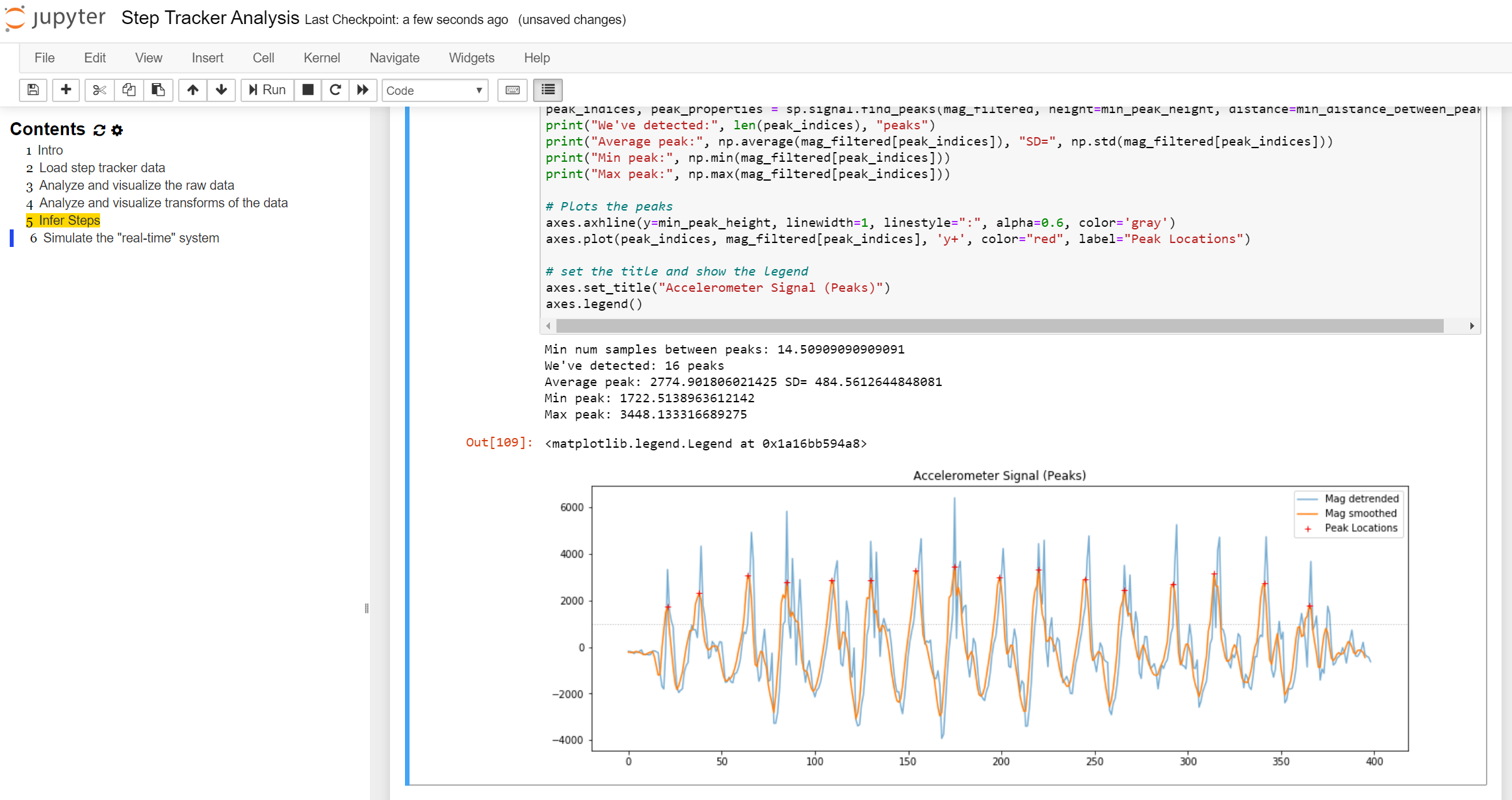
Jupyter Notebooks are engaging because students can write code and immediately see the results below it. This quick feedback makes it easier to experiment, try new ideas, and understand what the code is doing. The combination of code, visuals, and explanations in one place also helps connect concepts more clearly.
Artifact Creation

Students create notebook files that combine code, written explanations, and outputs like charts or tables. These notebooks can be shared, exported, or turned into reports, making them useful for both assignments and projects.

Support for Coding

The notebook format breaks code into smaller sections (cells), which makes it easier to focus on one step at a time. Errors and outputs appear directly below each cell, so students can quickly see what went wrong and fix it. The ability to include explanations alongside code also helps make the work easier to follow.

Jupyter Notebook Environment (classic and JupyterLab)

Key features and technical capabilities:

  • Interactive code execution within notebook cells
  • Support for rich narrative text (Markdown)
  • Inline visualizations (charts, images, plots)
  • Support for dozens of programming languages via kernels
  • Integration with data science libraries (e.g., pandas, matplotlib)
  • Shareable notebook documents (.ipynb)
  • Extensions and widgets for enhanced interactivity
  • Notebook metadata and reproducible workflow support

Version History

Milestones and release history:

  • Version information is currently under review (Under review)